
How to White-Label Reports With Your Logo in PageOptimizer Pro
White-labeling lets you customize your PageOptimizer Pro reports with your own company logo. This is useful when you share reports with clients, as it gives them a more professional, branded look.
Note: The White Label Reports feature is available on Teams, White Glove, and POP Authority plans only.
How to White-Label Your Report
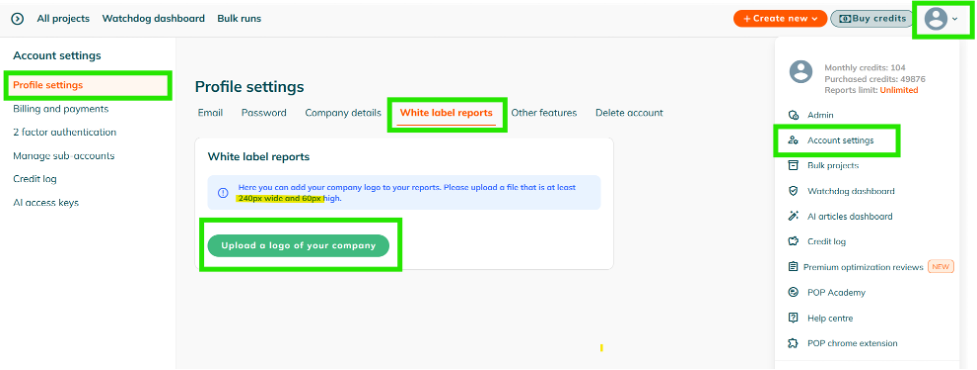
Follow these steps to add your company logo to your POP reports:
- Log in to PageOptimizer Pro using your email address.
- Go to Account settings → Profile settings.
- Select White label reports.
- Click the Upload a logo of your company button.
- Upload your company logo.
Logo Requirements
Make sure your logo is at least:
- 240 px wide
- 60 px high
Once uploaded, we'll use your logo on your reports, so you can present them under your own branding.